Turn Your Experience into Knowledge with AI


🧠🤖 Step-by-Step: Turn Your Production Line 4 Experience into Knowledge with AI (Microsoft Copilot)
Step 1) Pick your “knowledge output”
Choose what you want to create first (start simple):
One-page Training Guide (best for new hires)
Startup Checklist (best for daily consistency)
Troubleshooting Quick Guide (best for recurring stops)
Step 2) Brain dump your real experience (messy is fine)
Type bullet notes like you’d tell a coworker. Example Production Line 4 Brain Dump:
Changeovers fail most often when tools are not staged ahead of time
Operators skip torque checks on clamps during rushed setups
Guides look aligned but shift once the line reaches full speed
Sensors slowly drift out of position over a shift
Cleaning crews accidentally bump photo eyes and don’t realign them
Dust buildup increases after high-volume or long runs
First parts after startup usually show the problem
Operators restart too quickly without checking root cause
Repeated short stops are usually the same issue, not new ones
Noise changes before vibration becomes noticeable
Vibrations increase near the end of a shift when lubrication is missed
Temporary fixes keep production moving but hide real problems
Maintenance is often called after downtime is already high
Early reporting would prevent repeat failures
Setup instructions exist but aren’t followed consistently
New operators don’t know what “normal” sounds like
Line 4 reacts poorly to even small material variation
Out-of-spec parts cause jams that look like setup errors
Minor issues are ignored if production numbers look okay
One bad setup creates problems for the rest of the shift
(Do not worry about grammar.)
Step 3) Ask Copilot to turn notes into a clean draft
Go to Microsoft Copilot AI (Click https://copilot.microsoft.com/)

Step 4) Ask Copilot to turn notes into a clean draft
Take your notes from Step 2, add instructions for what you want AI to do, and enter everything into the Copilot message box.
Turn these Line 4 notes into a simple training guide for new operators. Use plain language, short sections, and bullet points. Changeovers fail most often when tools are not staged ahead of time Operators skip torque checks on clamps during rushed setups Guides look aligned but shift once the line reaches full speed Sensors slowly drift out of position over a shift [etc....]

Click the "Upper Arrow" (red box above) to have CoPilot complete the request.
Step 5) Make it match your real Production Line 4
Copilot will draft something like:
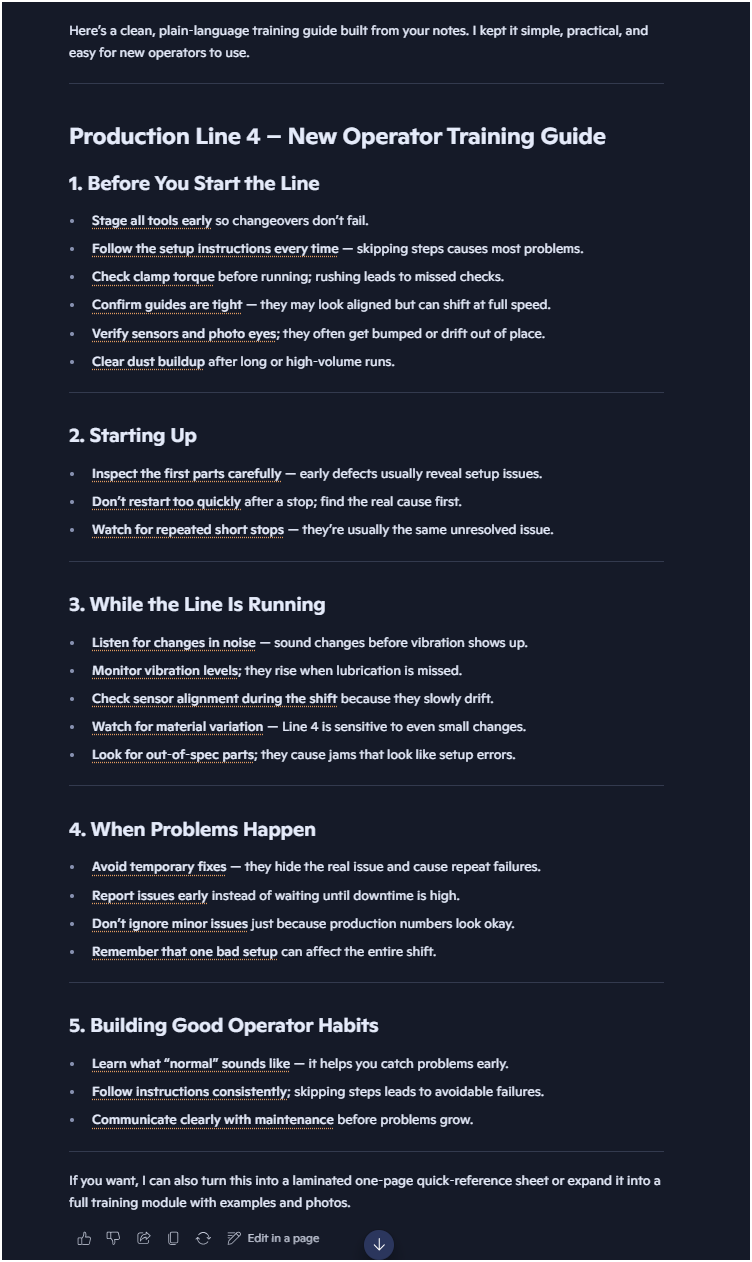
Note: Your results can differ.
Step 6) Now you “teach” it what’s true on your line.
Use prompts like:
“Add a section called ‘Changeover: don’t rush these steps.’”
“Include sensor cleaning and alignment checks during changeover.”
“Add ‘early warning signs’ like unusual noise and vibration.”
“Add ‘report small issues early’ and why it matters.”
Below asking Copilot to "Add a section called: Changeover: Don't rush these steps"

Results: CoPilot added the new section (in red below)

Step 8) Final check: you approve the truth
Read it and make sure it’s accurate. AI organizes words, you confirm reality.
If something is wrong, tell Copilot:
“That’s not accurate, change it to ____.”
“Remove this step; we don’t do that on Line 4.”
“Add the step we always do before startup: ____.”
Step 9) Copy and share
Copy the final version by clicking on the "copy" button (red box below).

Copy the content into the document you want to use, such as Microsoft Word or an email, and share it for onboarding and training.
AI makes it easy to turn your hard-earned knowledge into clear upskilling content that others can learn from quickly. It organizes and restates what you already know, saving time and effort.
But the real value doesn’t come from the AI itself, it comes from people reading, understanding, and taking action.
Human judgment, experience, and follow through are what turn information into real improvement.


