Use AI to Write a Powerful Production Shift Report

Updated: Dec 26, 2025

Imagine you’re asked to summarize what happened during the last factory production shift, but you’re not sure how to write it clearly.
Before (How it usually feels)
“I know what happened, but I don’t know how to write it clearly.”
Step-by-Step: Using Microsoft Copilot AI to Write Your Report
Step 1: Go to Microsoft Copilot AI (Click https://copilot.microsoft.com/)
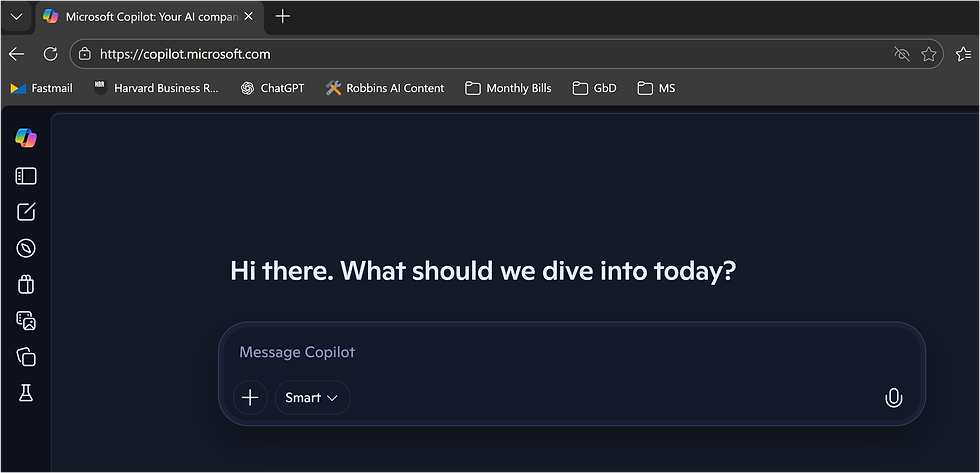
Step 2: Type your rough notes (no need to be perfect)
Just type what you know, like you’re explaining it to a coworker:
“Machine 3 stopped twice today. First time was a jam in the feeder. Second time the sensor didn’t read the part correctly. We lost about 45 minutes total.”
You don’t need full sentences. You don’t need perfect spelling.
Step 3: Ask Copilot to clean it up
Below your notes, type something like:
“Turn this into a clear and professional shift report.”
Then click Up Arrow button.

Step 4: Review what Copilot creates
Copilot will generate something like:

Note: Your results could differ.
Step 5: Make it yours
Read it and ask yourself:
Does this sound accurate?
Do I want to add or remove anything?
You can tell Copilot:
“Make it shorter”
“Make it more formal”
“Add that maintenance fixed the issue”
“Make it easier to understand”
Why This Helps You
✔ Saves time
✔ Reduces stress
✔ Makes you sound clear and professional
✔ Turns your experience into documented knowledge
You’re still the expert, AI just helps you say it better.
