How Manufacturing Workers Can Use AI to Write Better Emails


Real-World Example: Explaining a Machine Issue Without Complaining
Before (How it usually feels)
“I need to explain recurring machine issues to my supervisor clearly and professionally, without sounding like I’m complaining or ranting.”
Step-by-Step Instructions (Microsoft Copilot AI)
Step 1: Go to Microsoft Copilot AI (Click https://copilot.microsoft.com/)
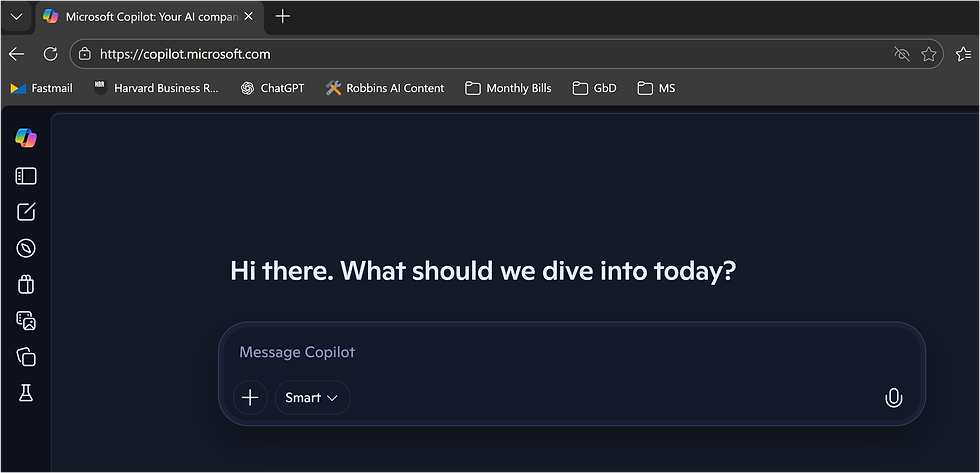
Step 2: Type your request in plain language
You don’t need special words or perfect grammar. Type exactly what you’re thinking:
“Dealing with a piece of equipment that keeps failing due to common, recurring issues like sensor faults, worn components, and feeder jams. We fix it just enough to get production moving again, but the root causes aren’t being fully addressed. These repeated failures are adding up to real downtime, production delays, and frustration for the operators and the maintenance team. I understand how urgent this is and the risks of letting it continue, including higher repair costs and potential safety issues, but my supervisor does not understand. I need a clearer way to explain what’s happening and why fixing it properly now matters, make the output in an email format”
Press the "Upper Arrow" button (see below in red box).

Step 3: Let Copilot draft the email
Copilot will generate something like this:

Note: Results could differ
Step 4: Review the email (You are in control)
Before sending, ask yourself:
Is this accurate?
Does it sound respectful?
Do I want to add any details?
Step 6: Make changes if needed
You can either:
Edit the text yourself, or
Ask Copilot to adjust it
Try prompts like:
“Make this sound less formal”
“Add that maintenance has been notified”
“Make it shorter”
“Make it more urgent but still professional”
Step 7: Send the email
Once it looks right, copy the reply and send via your email system. That’s it.
Why This Helps
✔ Saves time
✔ Reduces stress
✔ Helps you sound clear and professional
✔ Keeps communication positive
✔ You stay in control, always
AI doesn’t speak for you. It helps you say what you already know...better.
